


Why Your PDF is Always Too Big (and How to Fix It in Seconds)
We’ve all been there. You’ve spent hours perfecting your resume, or you’ve finally finished scanning those 20 pages of legal documents. You hit “Upload,” and then… the dreaded red text appears:
“File size exceeds 500KB. Please upload a smaller version.”
Suddenly, you’re stuck. Do you delete pages? Do you lower the resolution until it looks like it was faxed in 1994? At gollok.com, we think you shouldn’t have to choose between a small file and a professional look.
The “Goldilocks” Problem: Compression vs. Quality
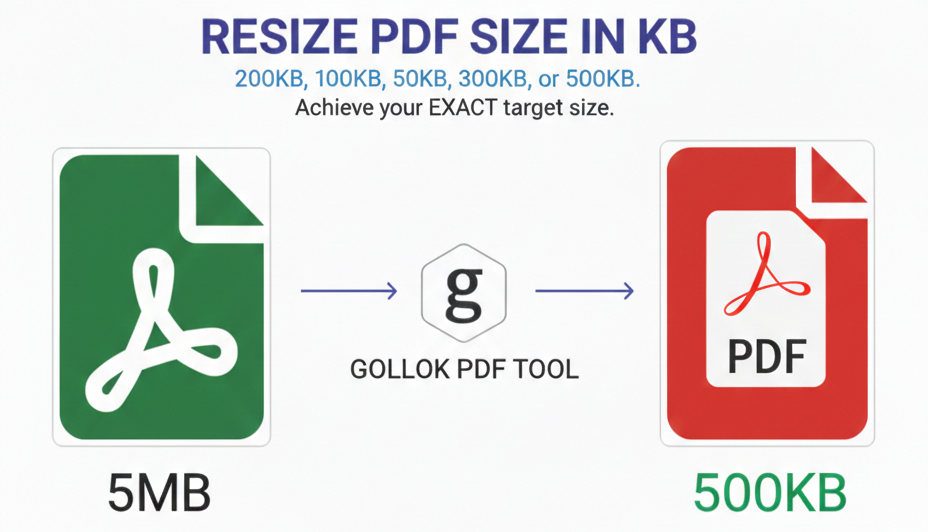
Most online PDF compressors are like a blunt pair of scissors—they just cut quality until the file is small. But what if you need the file to be exactly 200KB?
That is where our Advanced PDF Resizer comes in. Instead of just guessing, our tool uses a “Binary Search” logic. It tries different combinations of resolution and quality until it hits your target number perfectly.
Why standard resizing fails:
-
Text-only PDFs: These are already small, so standard tools often do nothing.
-
Image-heavy PDFs: These become “blurry” or “pixelated” if compressed too fast.
-
Expansion: Sometimes you actually need to increase the size (to meet a minimum requirement), and most tools can’t do that.
How to Resize Your PDF Like a Pro
Our tool is designed to be “human-friendly.” Here is how to get the best result every time:
-
Upload: Drop your file into the box.
-
Set Your Target: Type in the exact KB you need (e.g., 150).
-
Watch the Magic: Our progress bar shows you exactly how many “test runs” the AI is doing to find your perfect size.
-
Download: Save your perfectly sized gollok_pdf.pdf.
Pro Tips for the Perfect PDF
-
For Job Seekers: Most HR portals prefer resumes under 300KB. Our resizer keeps your profile picture sharp while keeping the file light.
-
For Students: If you’re uploading a thesis with diagrams, try the 1.5x scale setting to keep those lines crisp.
-
The “Exact Match” Rule: If a form asks for 200KB, set our tool to 195KB. This gives you a tiny bit of “safety room” for the portal’s upload logic.
Final Thoughts
Technology should make your life easier, not harder. Next time you’re fighting with an upload button, don’t panic. Just head over to gollok.com, set your target, and let us do the heavy lifting.
Made With ♥ By gollok.com
SEO Meta Data (Behind the Scenes)
| Feature | Value |
| Primary Keyword | PDF Resizer in KB |
| Secondary Keywords | compress PDF to exact size, increase PDF file size, PDF size reducer online, fix file too large error |
| Meta Description | Tired of the “File too large” error? Use gollok.com’s advanced PDF Resizer to hit your exact KB target without losing quality. Perfect for resumes and government forms. |
| Target Audience | Students, Job Seekers, Administrative Professionals |
Here is why this is the best way to resize your documents:
1. The “Binary Search” Precision
Most resizers use a “one-and-done” approach: they apply a generic 50% compression and hope for the best. Our tool uses an Iterative Binary Search.
It runs up to 12 internal “test resizes” in seconds, checking the file size after each attempt. If the file is too big, it tightens the compression; if it’s too small, it backs off. This ensures you land exactly in your Target KB window (e.g., if you want 150KB, you get 140–150KB, not a random 80KB).
2. Dual-Engine Logic (Quality + Scale)
Standard tools only lower “image quality,” which eventually makes text look like mud. Our tool controls two variables:
-
JPEG Quality: Adjusts the clarity of images.
-
Resolution Scaling: If quality reduction isn’t enough to hit a tiny target (like 50KB), the tool automatically shrinks the internal DPI (dots per inch) while keeping the page dimensions consistent. This prevents the “pixel-shattering” effect.
3. The Expansion Capability (Upscaling)
This is a rare feature. Many government portals or archive systems require a minimum file size (e.g., “File must be between 200KB and 500KB”).
-
How it works: If your original file is too small (e.g., 80KB), our tool re-renders the PDF at a higher internal resolution to “inject” clean data, bringing it up to your exact higher target without making it look “fake” or blurry.
4. Privacy & Performance
Since the script runs in your browser using pdf-lib and pdf.js:
-
Local Processing: Your document doesn’t actually travel to a distant server and stay there. The “heavy lifting” happens on your device.
-
Instant Feedback: The Live Progress Bar shows you the search iterations in real-time. You aren’t left staring at a spinning wheel wondering if the site crashed.
Comparison at a Glance
| Feature | Standard Compressors | gollok.com Resizer |
| Control | Low/Med/High Presets | Exact KB Input |
| Expansion | Impossible | Fully Supported |
| Method | Fixed Compression | Iterative Binary Search |
| Accuracy | Within 100-200 KB | Within 10 KB |
| Page Scaling | Static | Dynamic & Adaptive |
What People Are Saying About the Gollok PDF Resizer :
🌟 The “Job-Seeker” Saver
“I was trying to upload my portfolio to a corporate portal that had a strict 300KB limit. Every other site made my design work look blurry and pixelated. Gollok’s tool was the only one that let me hit exactly 295KB while keeping my images crisp. Absolute lifesaver for my career!”
— Sarah J., Graphic Designer
🌟 The “Gov-Form” Solution
“Government websites are the worst. They always want files between 100KB and 200KB. My scan was only 80KB, and most sites can only make files smaller. This is the only tool I found that actually upscaled my PDF to 150KB so the portal would finally accept it.”
— David L., Small Business Owner
🌟 The “Student” Choice
“I had to submit my 50-page thesis, but the university server kept rejecting it for being too large. I loved the progress bar—it was cool to see the tool actually ‘searching’ for the right size. It took my 12MB file down to a perfect 2MB in seconds.”
— Maria K., Graduate Student
#PDFResizer #CompressPDF #ExactKB #DocumentTools #JobSearchHacks #GollokPDF #TechTips2026 #OnlinePDFTool #PDF100KB #PDF500KB