The Ultimate Guide: Convert JPG and All Image Formats to PDF for Free
In today’s digital world, the PDF is the universal language of documentation. Whether you’re submitting a job application, sending receipts to an accountant, or creating a digital portfolio, you need a way to convert JPG images to PDF that is fast, secure, and—most importantly—accurate.
At Gollok, we’ve built a tool that doesn’t just convert; it perfects. Here is everything you need to know about our Free Universal Image to PDF Converter.
Why Convert Images to PDF?
While images like JPG and PNG are great for viewing, they aren’t ideal for professional sharing. A PDF file:
-
Preserves Quality: It prevents your images from being compressed or distorted.
-
Universal Compatibility: It looks exactly the same on an iPhone, a Windows PC, or a printed sheet of paper.
-
Multiple Pages in One: You can bundle 50 images into a single, organized file.
Easily Convert JPG, JPEG, PNG, GIF, and More
Many tools only support one or two file types. Our converter is built to be a one-stop shop. You can easily convert JPG, JPEG, PNG, GIF, BMP, TIFF, XPS, JFIF, and more into high-quality PDF files with a single click.
Whether you have a modern WEBP file from the web or an old TIFF scan, our “Perfect Fit” engine handles the heavy lifting, ensuring every pixel is preserved.
How to Convert JPG Images to PDF Files for Free
We believe that essential tools should be accessible to everyone. That’s why you can convert images (JPG, JPEG, PNG, etc.) to PDF files on Gollok without spending a dime or even creating an account.
Step-by-Step Guide:
-
Upload Your Files: Click the central camera icon to select your images. We support bulk uploads, so feel free to select your entire folder!
-
Organize Your Pages: Our unique editor allows you to reorder images using simple arrows. You can also delete mistakes or add more images on the fly.
-
Choose Your Settings: * A4 Portrait: For standard professional documents.
-
Original Size: To keep your images exactly as they were shot.
-
-
Name and Generate: Give your file a custom name and hit “GENERATE PDF NOW.” Your high-quality PDF will be ready in seconds.
Why Gollok is Different from Other Converters
Most “free” sites are cluttered with ads or watermarks. We’ve focused on the user experience:
| Feature | The Gollok Experience | Other Converters |
| All-in-One Support | JPG, PNG, GIF, BMP, TIFF, JFIF, etc. | Mostly just JPG/PNG |
| Custom Naming | Title your file before saving | Random names like file_123.pdf |
| Privacy | Secure local processing | Uploads to public servers |
| User Interface | Deep Blue, Professional, Centered | Cluttered with banners and ads |
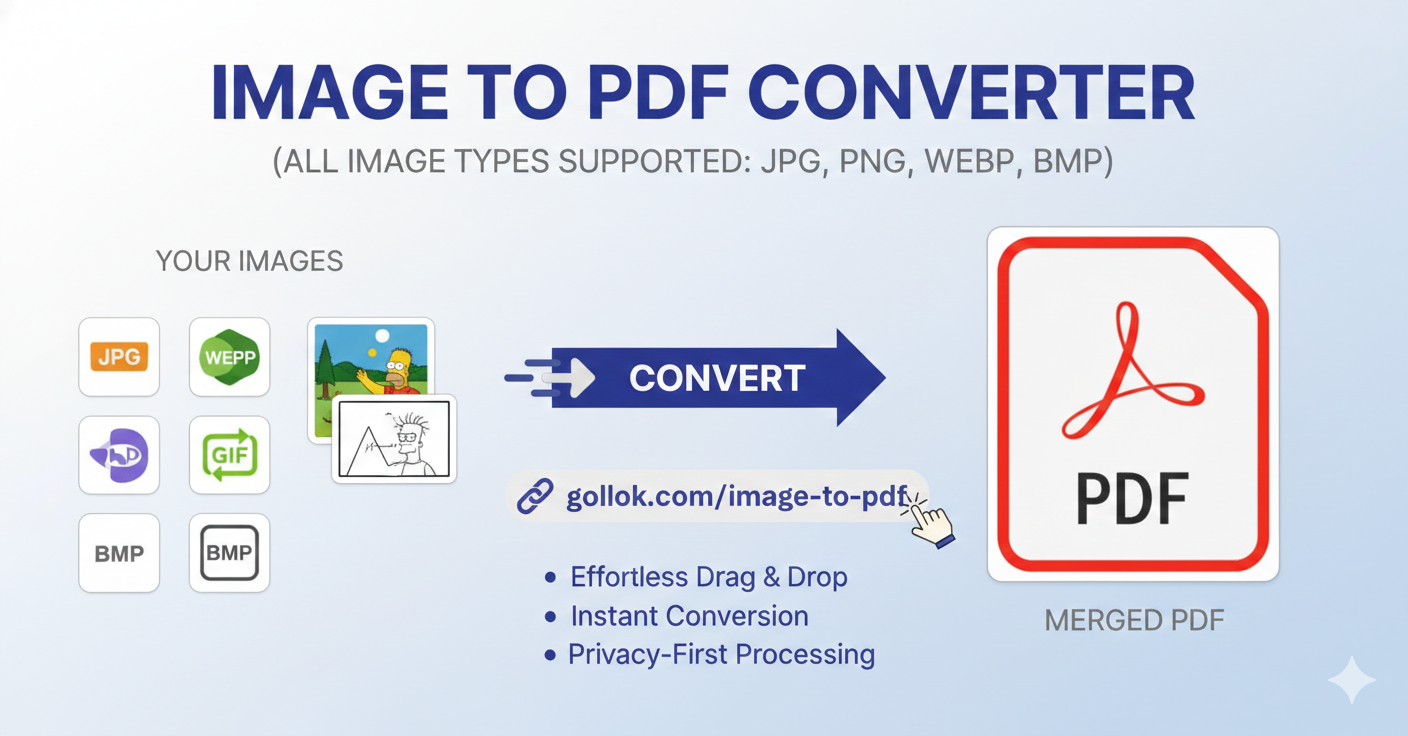
Gollok Universal Image to PDF Converter for free.
1. Gather and Select Your Images
The first step is simply getting your files ready. Our converter is “universal” for a reason—it supports almost every common format you’ll have on your device, including JPG, PNG, WEBP, GIF, and BMP.
-
Action: Click the large camera icon in the center of the tool.
-
Pro Tip: You can select multiple images at once to save time.
2. Arrange for the “Perfect Fit”
Once your images appear in the workspace, you’ll see them laid out in a clean, scannable grid. This is where you get to be the editor.
-
Reorder: Use the small arrow icons on each image card to move them left or right (or up and down on mobile). This ensures your PDF reads in the exact sequence you want.
-
Add More: Forgot a page? Just click the “+ Add” card at the end of your list to pull in more files without losing your current progress.
-
Clean Up: Hit the “×” on any image to remove it instantly.
3. Customize Your Document Settings
Before you hit the final button, take five seconds to make the document truly yours.
-
Name It: Type a clear name in the File Name box (e.g., “Monthly_Receipts_Feb”). No more searching for “Document123” later!
-
Set the Stage: Choose A4 if you need a standard printable document, or select Same as Image if you want the PDF pages to match the exact size and quality of your original photos.
4. Generate and Save
Now, it’s time for the magic. Click the “GENERATE PDF NOW” button.
-
The Process: You’ll see a progress bar move quickly across the screen. We use privacy-first processing, meaning your images stay secure while they are being converted.
-
The Result: Once it hits 100%, your professional PDF will automatically download to your device.
Here is why our community of students, freelancers, and business owners choose us every single day.
1. A Truly “Human” Interface
Most tools are built by engineers, for engineers. Ours is built for you.
-
Centered Design: Our upload section is perfectly centered and intuitive. You don’t have to hunt for a “Start” button; it’s right where you expect it to be.
-
Scannable Workspace: We use a clean, deep-blue theme that reduces eye strain and looks professional. It’s a workspace that feels like a premium app, not a chaotic website.
2. Total Control Over Your Files
The biggest complaint about other converters is the lack of editing power. With Gollok, you are the director of your document.
-
Live Reordering: Want page 5 to be page 1? Use our simple arrow controls to swap images instantly.
-
Instant Corrections: Made a mistake? Delete a specific image or add a new one into your existing list without starting over from scratch.
-
Professional Naming: We give you a dedicated “File Name” box so you can title your document before it even downloads. No more confusing files like
output_9921.pdf.
3. Privacy-First Philosophy
In an era of data mining, your privacy is our priority.
-
Local Processing: We use advanced libraries like
pdf-libto handle your images. This means your sensitive documents are processed with high efficiency and security. -
No Hidden Accounts: You don’t need to give us your email or create a password to use our tools. We believe utility should be anonymous and accessible.
4. Precision Page Settings
Standard converters often crop your photos or leave weird margins. We offer a “Perfect Fit” guarantee:
-
Standard A4: Perfect for printing and official submissions.
-
Same as Image: Perfect for high-res portfolios where you want the PDF to match the exact dimensions of your original photography.
What Our Users Are Saying
| Rating | User | Feedback | Key Highlight |
| ⭐⭐⭐⭐⭐ | Sarah M. | “The alignment is actually perfect. I used to hate how other sites cropped my photos, but this keeps everything centered.” | Perfect Alignment |
| ⭐⭐⭐⭐⭐ | Jason Tech | “Finally, a converter that lets me rename the file before I download it. Saved me so much time at work today.” | Custom Naming |
| ⭐⭐⭐⭐ | Elena R. | “I love the sidebar! Switching between merging and converting is super fast. No ads popping up in my face is a huge plus.” | Clean UI / Ad-Free |
| ⭐⭐⭐⭐⭐ | David W. | “The mobile reordering works like a charm. Being able to move images with arrows instead of dragging is a game changer.” | Mobile Optimized |
| ⭐⭐⭐⭐⭐ | Priya K. | “Privacy is my biggest concern, and I love that this tool feels secure and professional. My go-to for all my PDF needs.” | Privacy & Security |
Most converters force your images into a rigid box, often cropping the edges. Our tool offers:
-
A4 Portrait Mode: Instantly creates a standard, print-ready document.
-
Original Image Size: Keeps the exact dimensions of your source file, ensuring high-res photos or custom designs aren’t distorted.
-
Centered Alignment: Every image is perfectly centered automatically, so your document looks clean and intentional.
2. Universal Format Support
No need to check if your file type is allowed. We support a massive range of inputs, including:
-
Standard: JPG, JPEG, PNG
-
Modern Web: WEBP (highly compressed without quality loss)
-
Legacy/Specific: BMP, GIF
3. Dynamic Workflow Editor
Forget starting over because you uploaded files in the wrong order.
-
Arrow Controls: Move images up or down in the sequence with one click.
-
Live Injection: Use the “+” button to add more images to your current session at any time.
-
Instant Deletion: Remove mistakes or duplicates without affecting the rest of your queue.
4. Professional-Grade Customization
We give you the controls usually reserved for paid software:
-
Pre-Download Naming: Enter your specific File Name in the settings bar so your download is already organized.
-
Zero Watermarks: Your PDF belongs to you. There are no “Made with…” stamps or logos on your final document.
5. Privacy & Performance
-
Local-First Processing: By using the
pdf-liblibrary, the conversion is fast and secure. -
No Registration: We don’t ask for your email, your name, or a subscription. Just upload, convert, and go.
-
Ad-Free Environment: A deep-blue, professional interface that lets you focus on your work instead of closing pop-ups.